










Switch between your accounts, now on web as well!
Link up to four accounts to a main account and switch between them from the site header, with no new login.
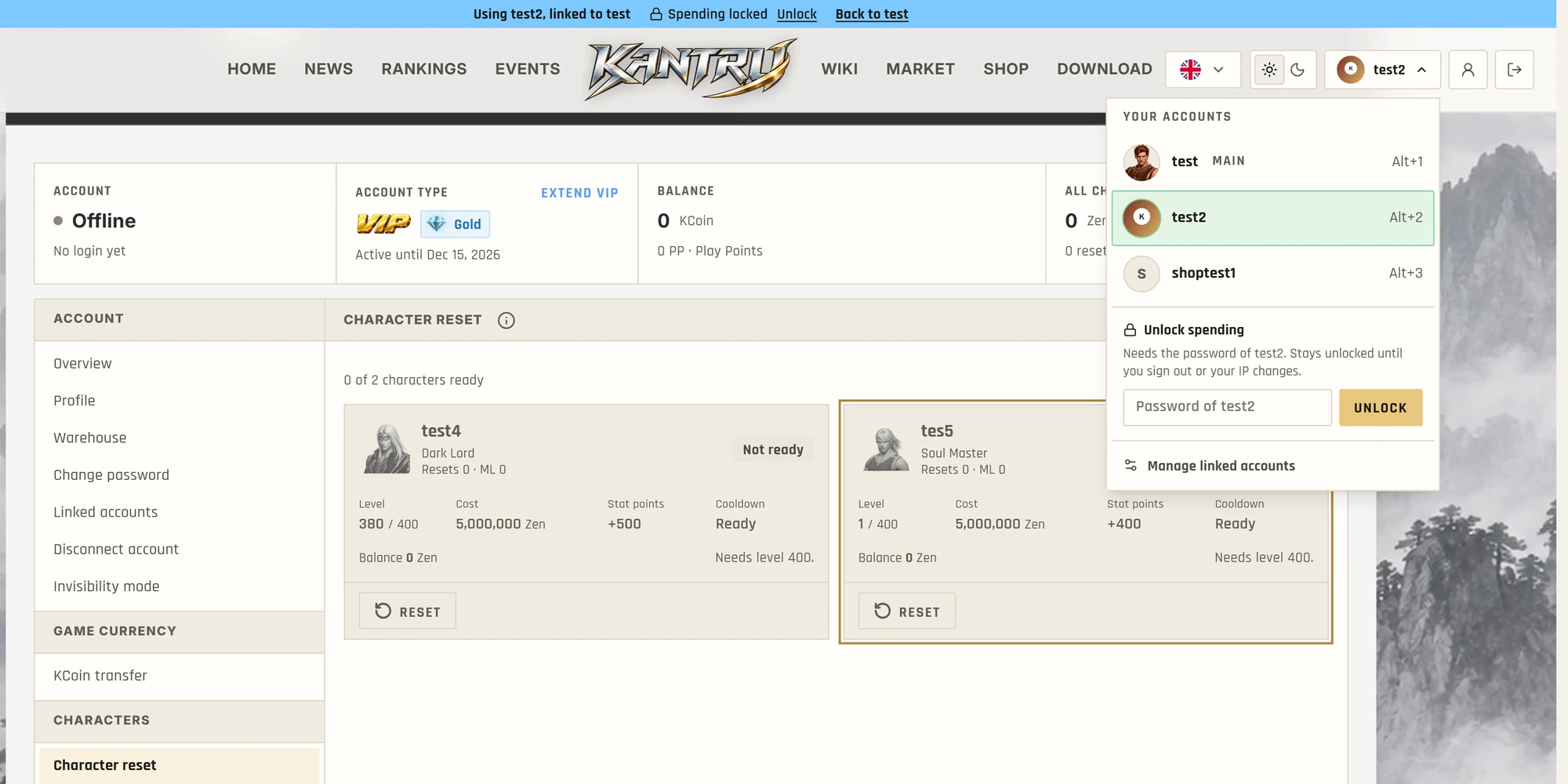
Got more than one account? You no longer have to log out and back in to play the other ones. Link up to four accounts to a main account, then switch between them from the menu next to your name.
Linking an account
Sign in with your main account and open Account, Linked accounts. Type the main account's password, then the login ID and password of the account you want to add. Both accounts need a confirmed email address, and we email both of them when the link is made.
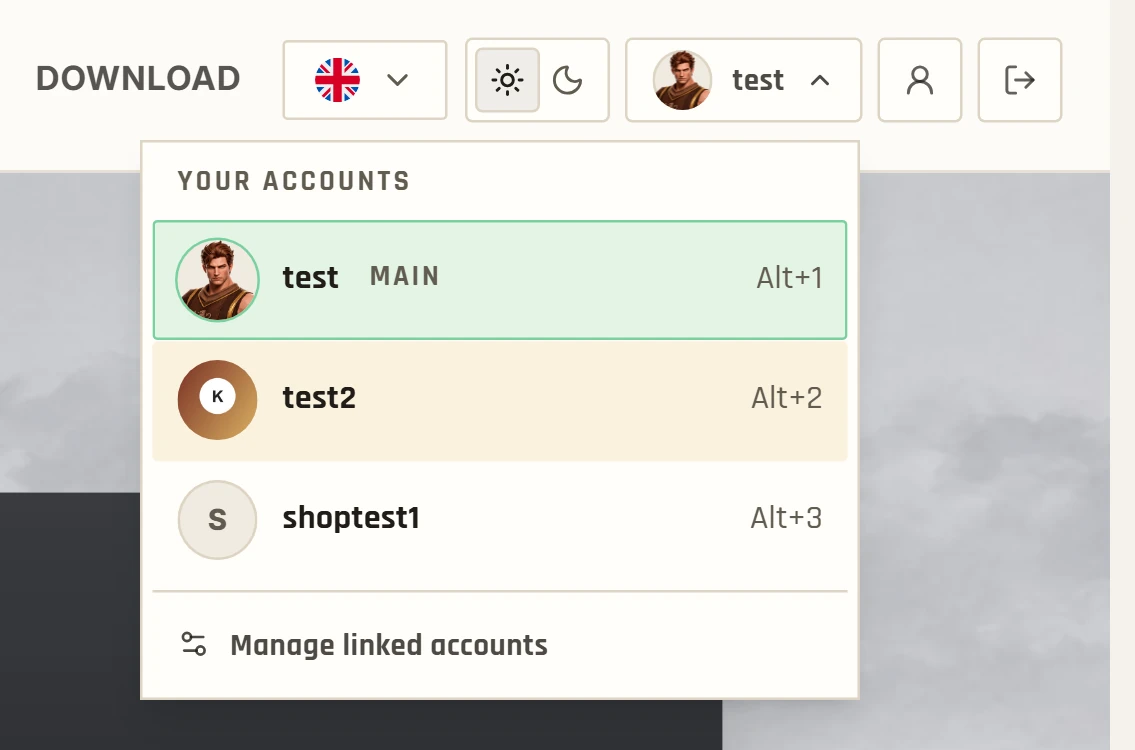
From then on the menu lists every linked account. Click one to switch, or press Alt+1, Alt+2 and so on, in the order of the list. Each account shows the avatar you uploaded on the Profile page. If there is none, it shows the art of that account's strongest character.
One page for all of them
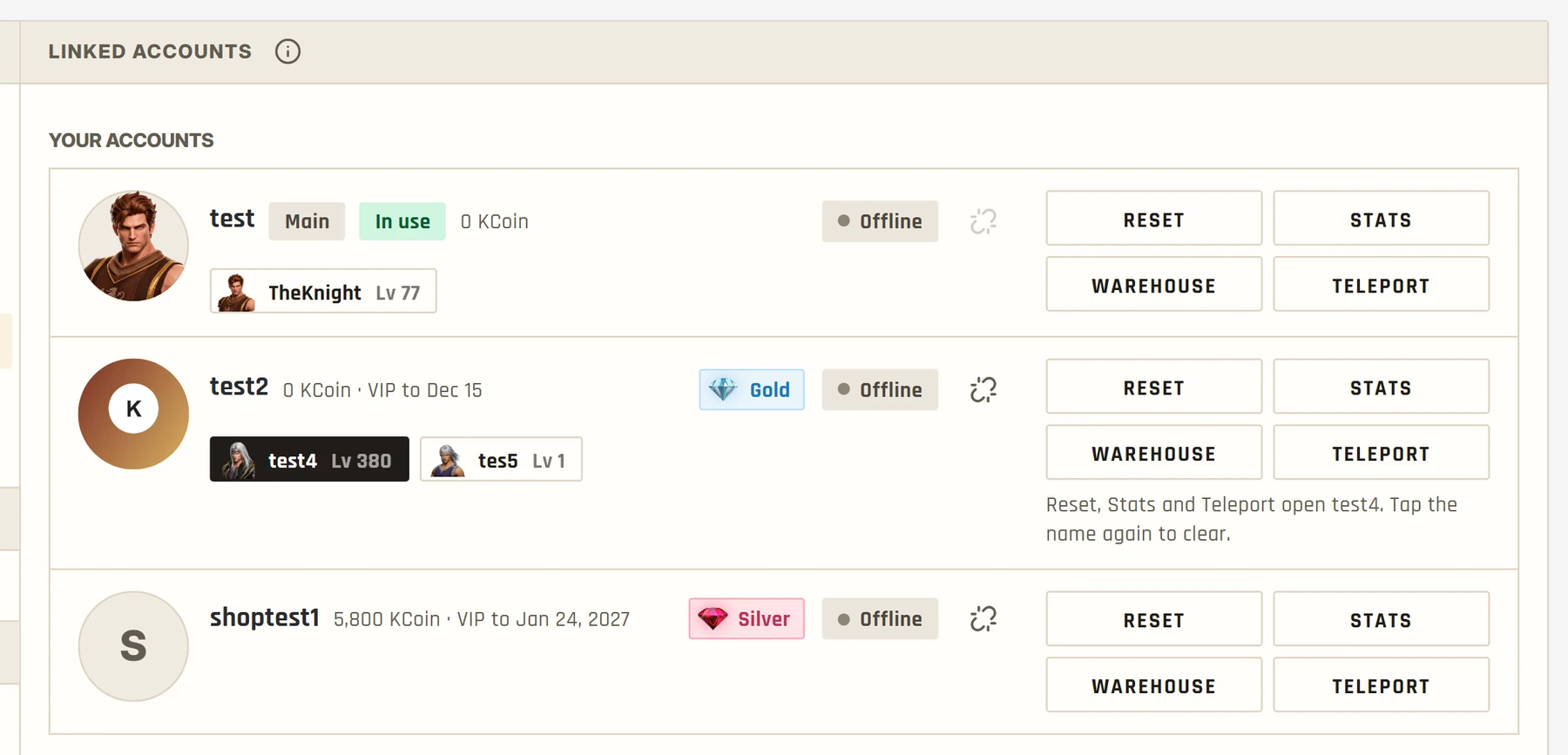
The Linked accounts page shows every account at a glance: KCoin, VIP, online status and characters, strongest first. Pick a character and press Reset, Stats or Teleport, and that page opens on the right account with the right character selected. Warehouse opens that account's warehouse.
To move KCoin between your own accounts, your linked accounts appear as one-click recipients on the KCoin transfer page. The normal transfer fee applies.
What stays locked
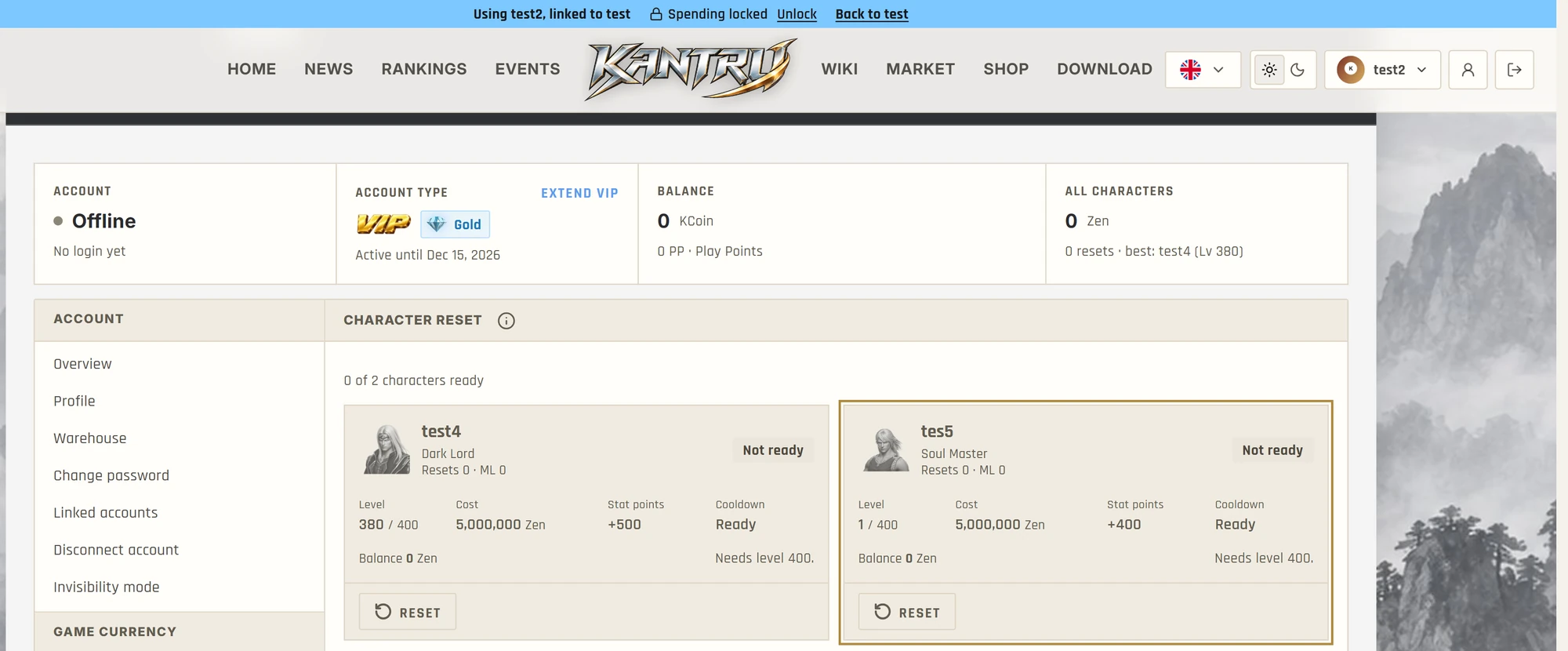
While you use a linked account, a bar under the header tells you which one it is and gives you a way back to your main account.
Resets, stats, teleports, vaults and profile changes work straight away. Spending asks for that account's own password, once: buying with KCoin, VIP, market purchases, gifts and transfers. It stays unlocked until you sign out or your IP address changes. Anything that leaves the account, such as transfers, gifts and market listings, also waits 24 hours after the link was made.
Changing a password or removing a link is not possible while you use a linked account. Sign in to that account directly for those.
Good to know
Only the main account can switch. If you sign in straight to a linked account you get that account alone, so a weak password on one alt does not open the others.
To remove a link, use the unlink icon on the account's card, or the button in the email we send when two accounts are linked. If you did not link them yourself, use the email button and reset your password. Changing the password of a linked account, or resetting it on the forgot-password page, also removes its link. Staff accounts cannot be linked.
The full walkthrough, with every rule, is in the Linking Your Accounts guide.
Inicia sesión para reaccionar. Iniciar sesión
Sin respuestas
Inicia sesión para unirte a la conversación.
Inicia sesión para responder