PotionsOne press, no clicking
- QUses a healing potion
- WUses a mana potion
- EUses an antidote
- RUses your additional potion
ChatTalk and tidy the chat window
- F2General chat
- F3Private chat
- F4Changes the size of the chat window
- F5Shows or hides the chat frame
- EnterOpens the chat box
WindowsOpen the panels of the game
- F1Help
- IorVInventory
- CCharacter stats
- PParty
- GGuild
- FFriends
- MMove between locations
- OGame options
- TQuest list
MU Helper and cameraHunt on its own, look around
- ZorHOpens the MU Helper
- InsertTurns the MU Helper on or off
- HomeResets the camera
Ground and screenLoot and screenshots
- AltShows the names of the items dropped on the ground
- Alt+ left mouse buttonPicks up the item you point at
- Print ScreenTakes a screenshot
SkillsDigits choose a skill
Press a digit from 0 to 9 to choose a skill, and press Ctrl with a digit to assign the skill under your pointer to that digit.
Mouse
- Left button
Moves, attacks and picks things up
- Right button
Uses the selected skill
- left button with Ctrl
Attacks another player (PK)
- Mouse wheel
Zooms the camera in and out
- Middle button
Resets the camera, like
Home
Item information
Press F1 to close the window. For the full list of items see the item list.
Monster health bars
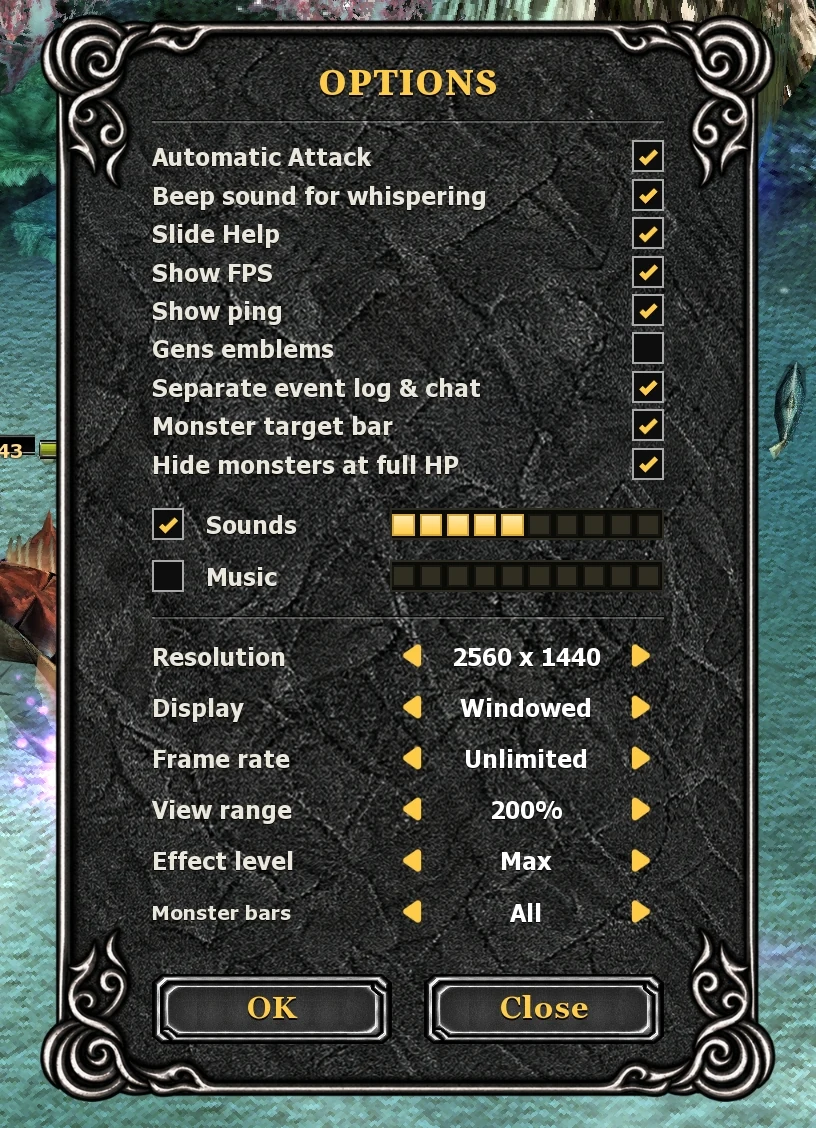
Press Esc and open Options to choose the bars that show how much HP a monster has left.
- Monster target bar
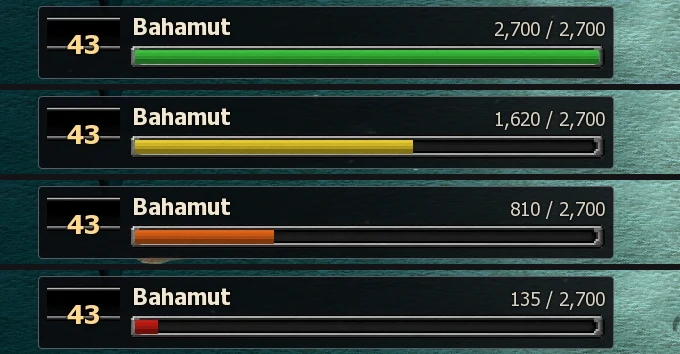
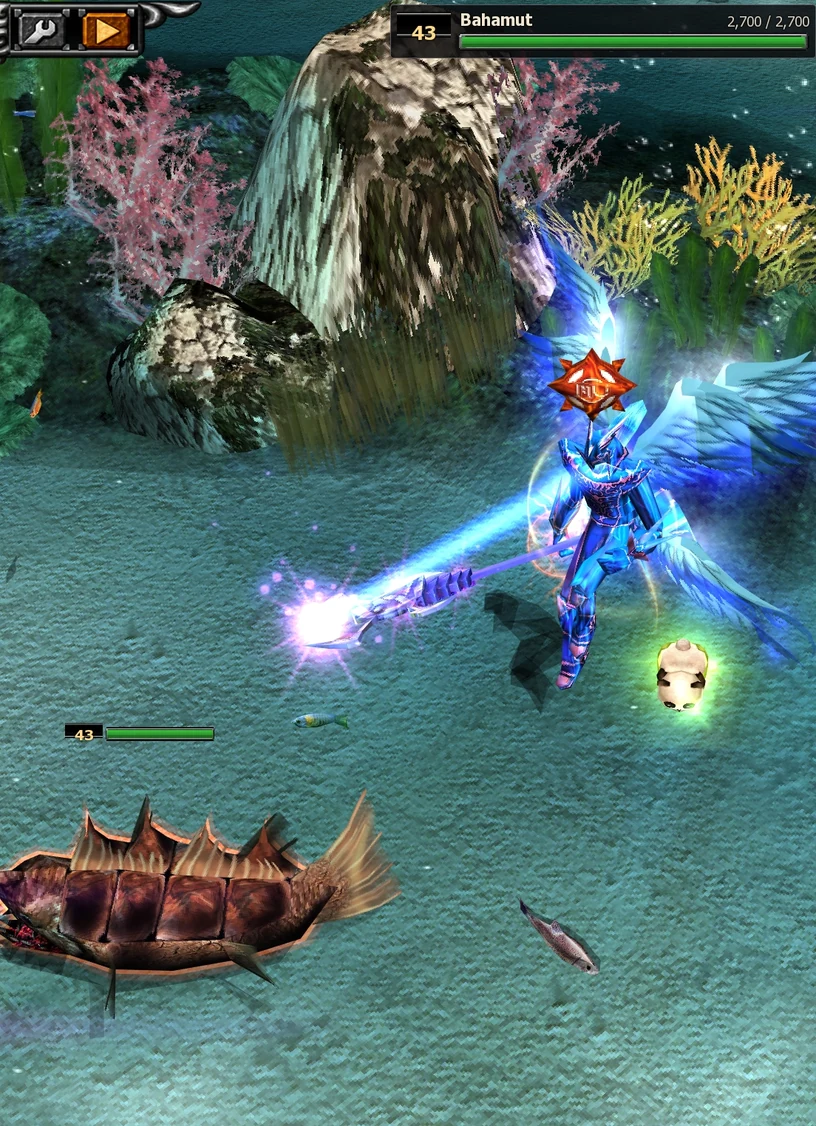
A bar at the top of the screen with the level, name and HP of the monster you attack. It turns from green to yellow, orange and red as the monster loses HP.
- Monster bars
Small bars above the monsters. Off shows none, Target shows one above the monster you attack, All shows one above every monster around you. Tick Hide monsters at full HP to leave out the bars of monsters that are not hurt, so with All you only see the ones in a fight.